How to Turn One Podcast Episode into 10 Pieces of Social Media Content
If you have a podcast but still feel like you never know what to post on social media, we need to talk! Because one of the BIGGEST mistakes I see podcasters make is spending hours recording an episode… only to post one promotional graphic about it and immediately move onto the next thing. Meanwhile there’s an entire gold mine of content sitting inside that episode that is gold for repurposing content for social media. Learning how to repurpose a podcast episode can completely change your content strategy! So let’s break down how to turn ONE podcast episode into multiple pieces of content without making your brain melt.
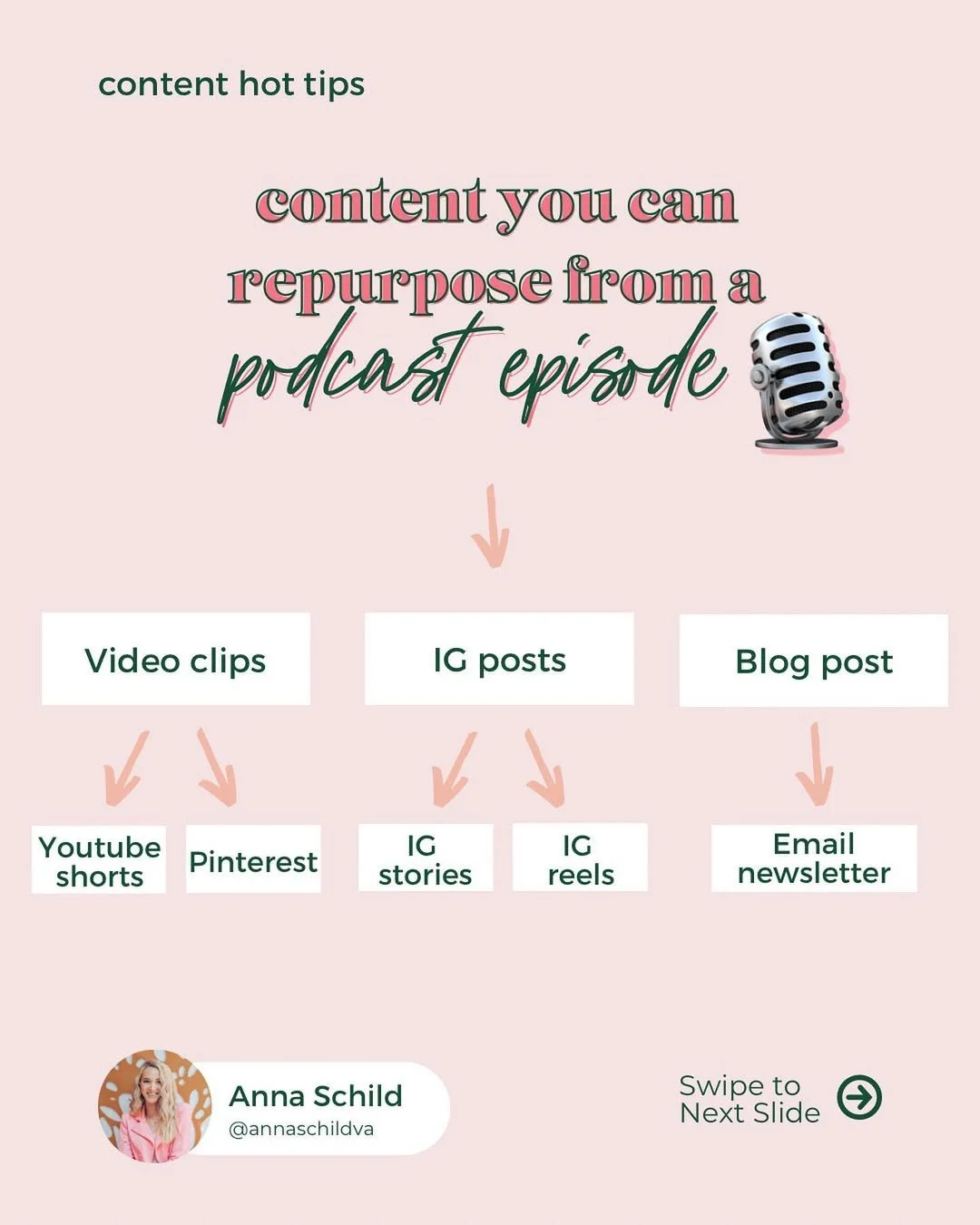
Why You Should Be Repurposing Content for Social Media
Podcast episodes are one of the BEST forms of pillar content for repurposing content for social media. They naturally contain stories, opinions, teaching moments, personal experiences, hot takes… and tangents that deserve their own content piece. Most podcast episodes are packed with multiple content ideas already! The problem is most business owners only promote the episode itself instead of pulling content FROM the episode. Which means they’re constantly creating more content from scratch when they really don’t need to.
Start With a Transcript
The first thing I recommend doing when you repurpose a podcast episode is getting a transcript. This makes it SO much easier to pull quotes, find hook ideas, identify strong talking points, grab storytelling moments and turn sections into captions or blogs. I personally love using Descript for this because being able to visually scan a transcript saves so much time.
1. Pull Out Short Reel Clips
This is probably the most obvious ways to repurpose a podcast episode, but it works for a reason! Look through your episode for spicy takes, emotional moments, relatable stories, strong hooks or quick teaching moments. Then clip them into short videos you can use on Instagram Reels, TikTok, YouTube Shorts and Pinterest. Content repurposing tools like Descript or Riverside make this SO much easier too because you can quickly scan transcripts and pull out the strongest moments. One podcast episode can usually give you MULTIPLE short-form videos instead of just one.
2. Turn a Story Into a Carousel Post
Carousel posts are one of the best formats for repurposing content for social media because they turn your episode into something visual, skimmable, and easy for your audience to save. If you share a personal story or client example inside the episode, that can easily become a carousel. For example:
“3 things I learned after burning out from content creation”
“The biggest mistake I made when starting my business”
“Why my content strategy completely changed this year”
Storytelling content tends to perform REALLY well because people connect with experiences way more than generic tips.
3. Use One Section as an Email Newsletter
Your podcast emails do not need to just say, “new episode out now!” One topic, lesson, or story from the episode can easily become a weekly newsletter, a launch email, a nurture email, or a personal reflection email depending on what your focus is right now in business. Especially because some people in your audience may never listen to your podcast BUT they’ll happily read your emails. This helps your emails feel valuable on their own while still driving listeners back to the episode. ** Want to see what this looks in real life? Check out an email I repurposed from my Content and Chill podcast!
4. Create Multiple Quote Graphics
Most podcast episodes contain at least a few lines that would work perfectly as quote graphics, Threads posts, or tweet-style content. Look for lines that feel punchy, relatable, emotional, controversial, validating, or highly shareable. These are usually the moments people save or engage with the most.
5. Turn Teaching Points Into Educational Posts
Any educational section inside your episode can become carousel tips. Carousels work really well for repurposing podcast episodes because they let you take the main points from the episode and turn them into something visual, skimmable, and easy for your audience to save. Instead of trying to squeeze the entire episode into one caption, pull out one clear angle and build the carousel around that. Each slide can break down one point from the episode with a short explanation, example, or takeaway. The goal isn’t to summarize the whole episode word-for-word. It’s to take the strongest educational piece and turn it into a post your audience can quickly understand, save, and come back to later. Then, in the caption or final slide, you can point people back to the full podcast episode if they want the deeper conversation.
6. Pull Out “Hot Take” Moments for Threads or LinkedIn
Every podcast episode usually has at least one opinion or spicy little tangent that deserves its own post! These shorter opinion-based moments work really well for Threads and LinkedIn, especially because they spark conversation and engagement quickly. Not every repurposed piece of content needs to directly say, “Go listen to my podcast.”
7. Turn the Episode Into a Blog Post
This one is HUGE for visibility and SEO. Turning podcast episodes into blog posts helps create Pinterest opportunities, bring traffic to your website and improve searchability. But, you need to make sure you aren’t just copy and pasting your transcript and calling it a day. The best podcast-to-blog content is adapted and rewritten for readability, structure, and search intent. ** Want to see what this looks in real life? Check out the blog posts I create for my Content and Chill podcast!
8. Create Pinterest Pins to Click to the Episode
Pinterest is such an underrated place to repurpose a podcast episode because it gives your content a much longer shelf life than a regular Instagram or Facebook post. Instead of only promoting your episode for a few days after it goes live, you can create a few Pinterest pins that are aligned with the topic of the episode and use them to drive people to listen. Each pin can link directly to the podcast episode or, if you’re turning your podcast episodes into blog posts too, even better! Link the pins to the blog version of the episode so you’re driving more traffic back to your website while still giving people the option to listen from there. That way, your podcast is becoming part of a bigger visibility system that can keep bringing people back to your content over time.
9. Create Story Content From the Episode
Instagram Stories are SUCH an underrated place for repurposing content for social media. Especially because they don’t need to be overly polished. You can use Stories to take one small idea from the episode and turn it into a quick conversation with your audience. For example, if your podcast episode is about content burnout, your Stories could look like:
a poll asking, “Do you feel like you’re always starting from scratch with content?”
a question box asking, “What part of content creation takes you the longest?”
a quick text slide sharing one takeaway from the episode
a behind-the-scenes slide showing you recording the episode
a final slide inviting people to listen to the full episode
Stories are also a great place to warm people up before sending them to the episode because you’re not just dropping a link and hoping people click. The goal is to pull one small moment from the episode and use it to start a conversation, create engagement, or point people back to the full piece of content.
10. Repurpose the Episode for YouTube
If you’re already recording your podcast on video, YouTube is one of the easiest places to repurpose that episode. You can upload the full video episode to YouTube, create YouTube Shorts from the strongest clips (that you already created for Instagram), and use the episode topic to support your overall search visibility. The biggest thing is making sure your YouTube title, description, and tags are actually optimized for what your audience is searching for. Because YouTube is a search engine just as much as it’s a social platform. So if your episode answers a specific question, teaches a process, or shares a strong opinion, there’s probably a way to turn it into searchable YouTube content too.
Stop Letting Your Podcast Content Collect Dust
If you’re spending hours recording podcast episodes, you deserve to get WAY more visibility out of them than one promotional Instagram post. Your podcast should be helping fuel your social media content, blogs, email marketing and overall visibility strategy instead of becoming another piece of content that disappears after upload day.
And if you know you should repurpose your podcast episode but keep getting overwhelmed trying to figure out HOW to turn one episode into strategic content ideas, that’s exactly the kind of thing I help my clients with! I’ll audit your podcast episodes and create a strategic repurposing plan so you can clearly see how to turn what you’ve already recorded into content for multiple platforms. You’ll walk away with clear content ideas, platform-specific directions, and a custom roadmap for getting more visibility out of the episodes already sitting in your archive.
Book your content repurposing audit, and this time next week you’ll have a custom roadmap for how your existing episodes can become your next 3 months of social media content!